FinishSure gives project teams a simple, fixed-price way to monitor environmental conditions, respond to exceptions, and retain project documentation.
Deploy the preconfigured system, verify conditions around finished work, respond to alerts, and retain the record for closeout and warranty review.
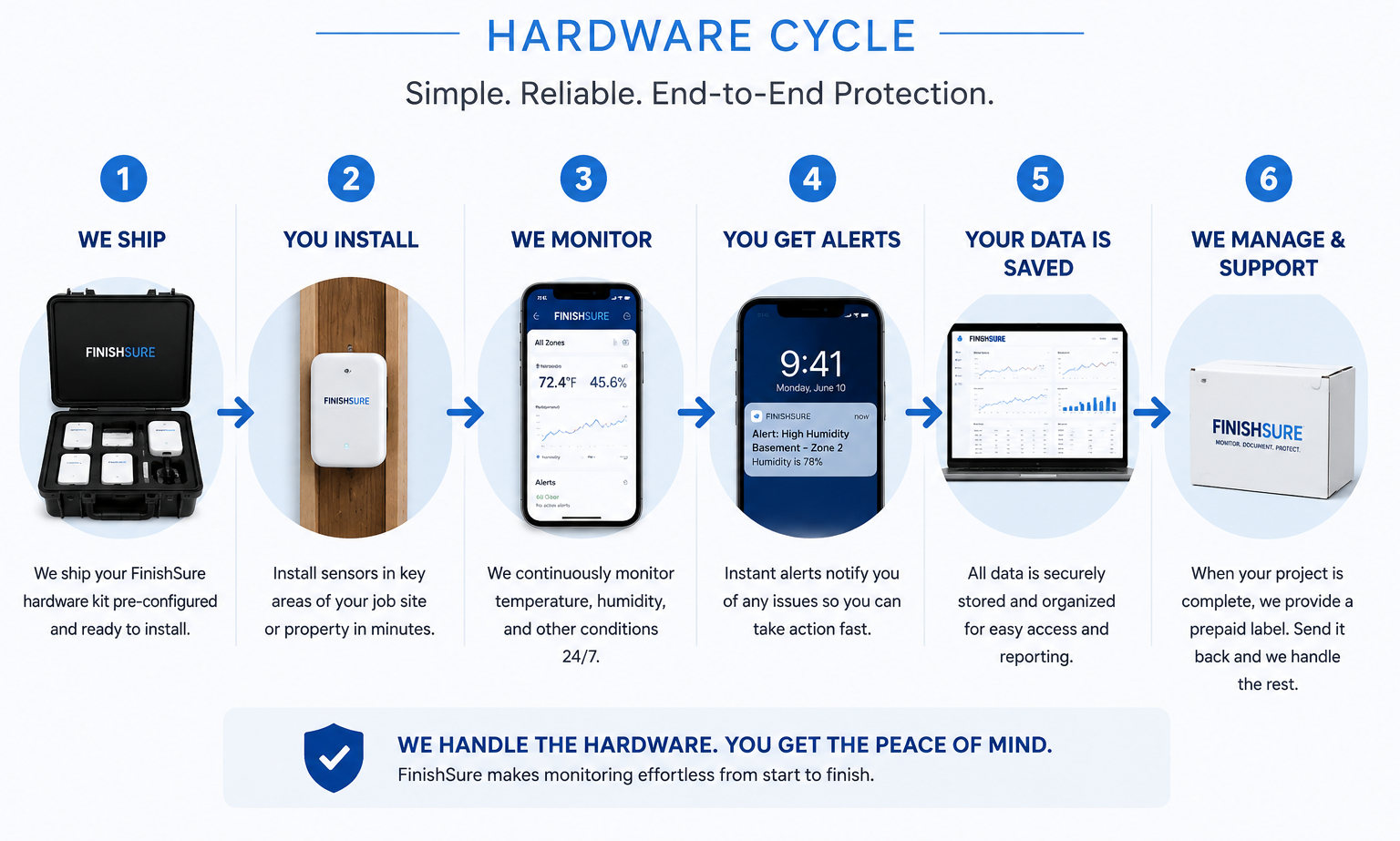
Select Active Phase, Warranty Tracker, or Multi-Zone based on your project.
One fixed price. No monthly subscription. No hidden data fees.
Your ruggedized field case arrives pre-configured. Turn it on and mount the sensors.
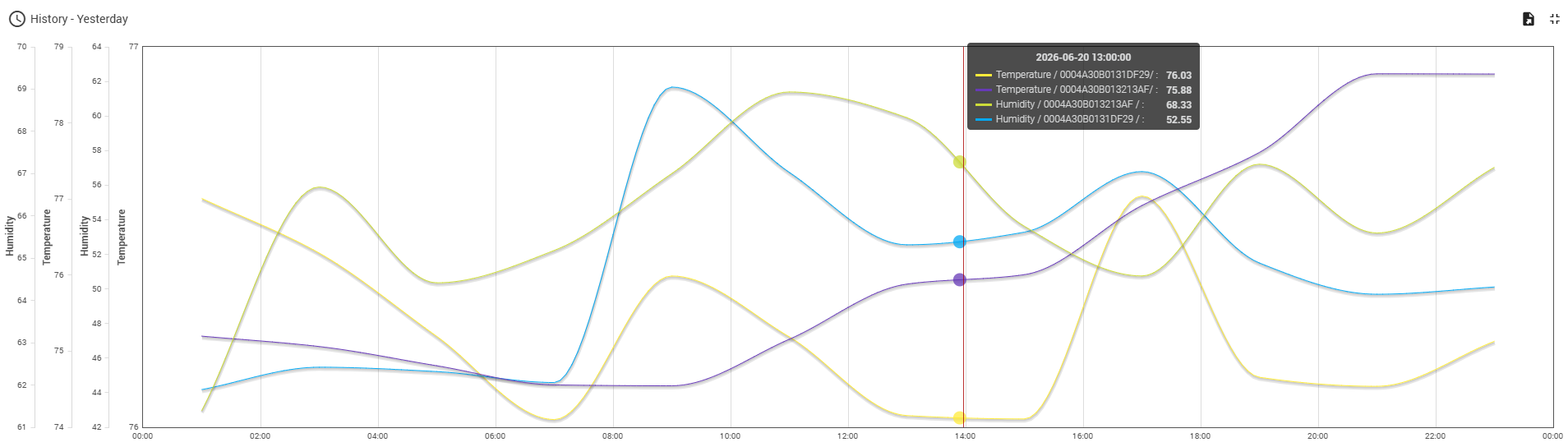
Use alerts and trend history to identify risk early, protect installed finishes, and document conditions throughout the project.
Pack the gateway and sensors back into the case and use the prepaid return label.
FinishSure keeps a project history for temperature and humidity so teams can verify what happened before, during, and after finish installation.
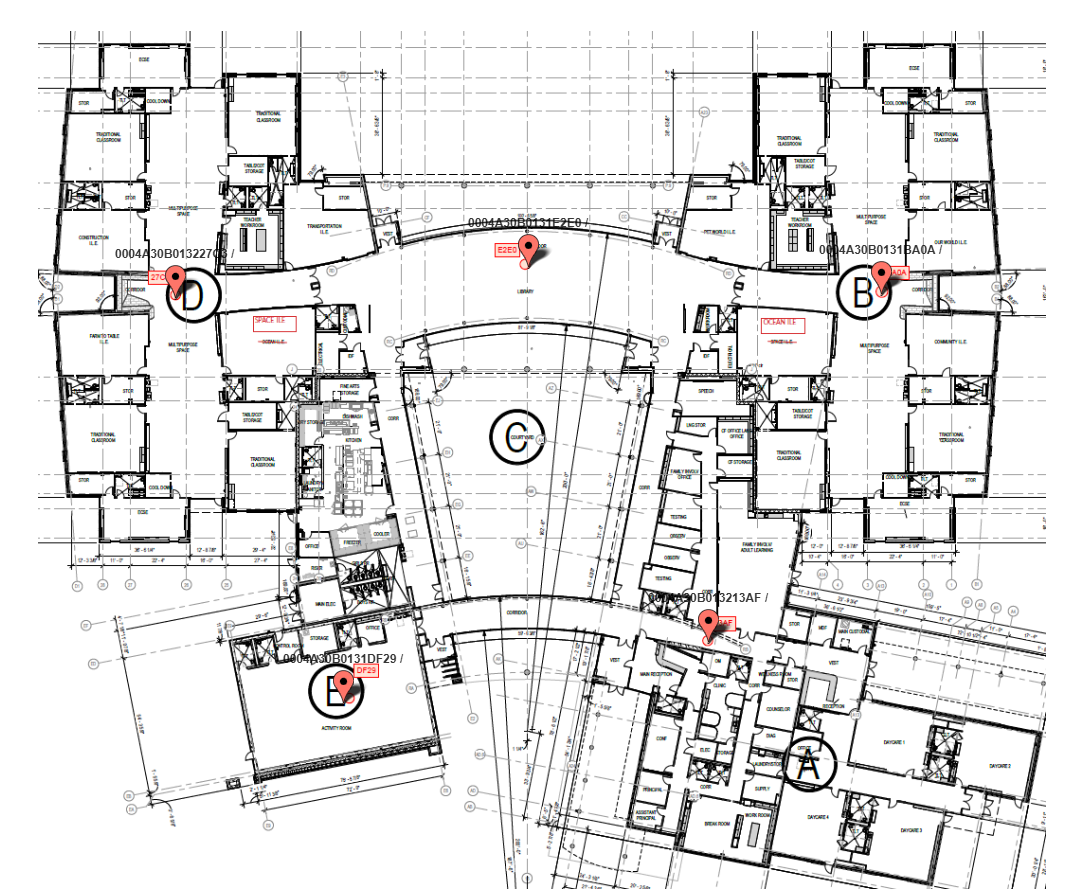
For multi-zone projects, FinishSure maps sensors to drawings so the team can quickly understand which rooms, areas, or phases are being monitored.
Watch focused tutorials covering setup, device installation, dashboard access, reports, and project management.